
A property card — called akhiv patrika (आखीव पत्रिका), malmatta patrak (मालमत्ता पत्रक) or PR card in Maharashtra — is the government ownership record for urban land under city survey: the city version of the rural 7/12. You can check the property card online for free on Mahabhulekh with the CTS number or owner name, download a legally valid digitally signed copy from the Digital Satbara portal, or get it through the BhuMe app without using the portals.
What is a property card?
The property card is kept by the City Survey Office (nagar bhumapan) of the Land Records Department for every plot that has been brought under city survey. Each plot is identified by a CTS (city survey) number. The card shows:
- CTS number, sheet number and area of the plot
- Holder — the person or body that holds the plot, and how they acquired it
- Tenure — the terms on which the land is held
- Encumbrances — mortgages, leases or other rights recorded against the plot
- Government dues on the plot, if any
- Mutation history — past changes of holder, with entry numbers
Because it shows who holds the land and what is recorded against it, it is the first document banks, buyers and lawyers check for an urban plot.
Akhiv patrika, malmatta patrak, milkat patrika: same document?
Yes. If you are looking for the property card meaning in Marathi (मालमत्ता पत्रक म्हणजे काय): आखीव पत्रिका (akhiv patrika) and मालमत्ता पत्रक (malmatta patrak) are the names used in land records; मिळकत पत्रिका (milkat patrika) is common in everyday use, and “PR card” (property register card) in English. All of them mean the city survey record of a plot. Our milkat patrika guide decodes each column of the card, and the city survey utara and CTS number guide explains how CTS numbers work.
How to view property card online in Maharashtra (free)
This is how to get a मालमत्ता पत्रक online (मालमत्ता पत्रक कसे काढावे) on Mahabhulekh:
- Go to Mahabhulekh.
- Select your division.
- Choose the मालमत्ता पत्रक (property card) option.
- Select the district, then the taluka / city survey office and sheet number.
- Select the village (city survey area).
- Choose how to search — CTS number, first name, middle name or surname — and enter it.
For a CTS number like
11/2A, enter11. - Click न.भू.क्र. शोधा (Search) and pick the exact CTS number (for example
11/2A) from the list. - Select the language, enter your mobile number and click मालमत्ता पत्रक पहा (View).
- Enter the captcha in the new tab to see the card.
This copy is view-only. Since 9 September 2026 the state’s MahaBhumi Stack brings Mahabhulekh, Mahabhunakasha and the registration index together under one portal, so screens may change while the move settles — the steps above stay the same in substance.
Property card download: how to get the digitally signed copy
To download the property card online as a digital property card that banks and offices accept:
- Open the Digital Satbara portal and register with your mobile number.
- Add balance to your account — each signed copy carries a small fee.
- Choose property card, select the district, city survey office and village, and enter the CTS number.
- Download the digitally signed PDF. It carries a digital signature and a verification code and needs no stamp or sign from an office.
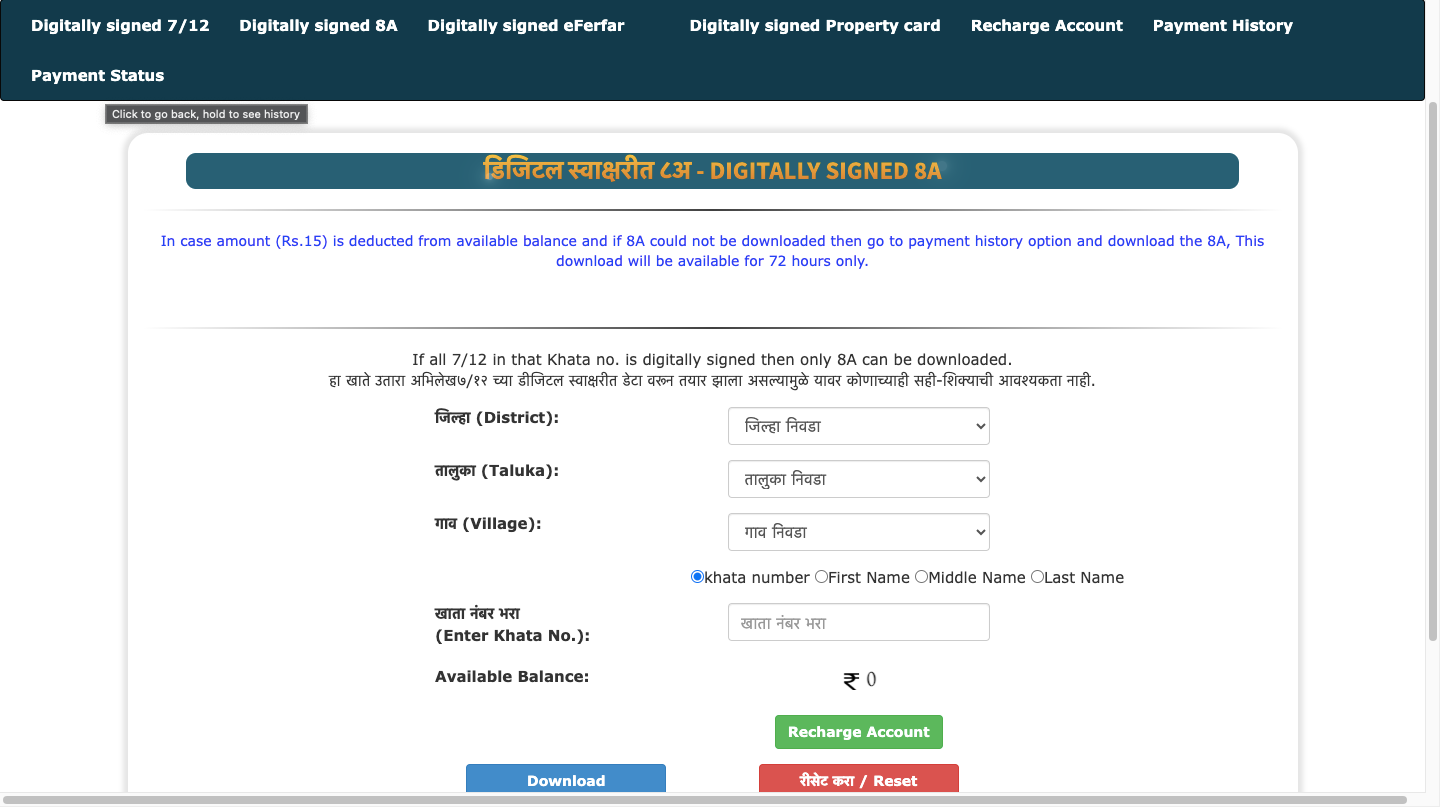
Our guide to downloading digitally signed 7/12, 8A and property card walks through the portal with screenshots.
Is the online property card valid?
| Copy | Where | Valid for banks, courts, registration? |
|---|---|---|
| Free view | Mahabhulekh | No — information only |
| Digitally signed | Digital Satbara portal | Yes |
| Certified copy | City Survey Office | Yes |
Property card vs 7/12 vs 8A vs Index 2
A plot is generally on either the 7/12 (rural) or the property card (city survey). When an area is brought under city survey, the 7/12 is closed and a property card is opened.
| Document | Covers | Kept by | Shows |
|---|---|---|---|
| Property card (आखीव पत्रिका) | Urban land under city survey | City Survey Office | Holder, area, tenure, encumbrances by CTS number |
| 7/12 utara | Rural and agricultural land | Talathi (revenue) | Holder, area, crops, rights and loans by survey/gat number |
| 8A utara | Rural land | Talathi (revenue) | Every survey number one holder has in a village |
| Index 2 | Any registered property document | Sub-Registrar (IGR) | One registered transaction — parties, property, amount |
After a sale, the deed is registered (Index 2), and the City Survey Office then records the new holder on the property card — the urban version of a ferfar on the 7/12.
Portal not working or property card not found?
- Portal slow or down. Mahabhulekh and Digital Satbara are often slow at peak hours and sometimes unreachable for hours. Try early morning or late evening.
- No property card for the plot. If the land is not under city survey, there is no property card — look for its 7/12 instead.
- Name search finds nothing. Names are stored in Marathi; search by CTS number instead.
- Wrong CTS number. Enter only the main number (
11, not11/2A), then pick the sub-division from the list. - Details look wrong. An outdated holder name usually means a sale or inheritance was never mutated — apply to the City Survey Office with the deed or heirship papers.
How to change the name on a property card
Ownership changes on a property card go through the City Survey Office as a mutation. Apply with the registered sale deed (or the will, heirship certificate or court order for inheritance). The office issues notices to interested parties, waits for objections, and then records the new holder on the card.
What’s changing in 2026
- MahaBhumi Stack (launched 9 September 2026) puts the 7/12, 8A, property cards, village maps and registration references in one portal (UNI report).
- Vertical property cards — a proposal to give each flat owner a property card showing their share of the land — is back under consideration (Angel One, Rentu). Until rules are notified, the card records the plot and the society or developer, not individual flats.
Get your property card with BhuMe
If the portals are down or the CTS number is hard to find, the BhuMe app gets the property card for you: book an assisted search in the app with the CTS number or the property’s details, and an expert finds the record and sends the card to the app and WhatsApp. BhuMe can also alert you when the card changes. City-specific help: property card Mumbai and property card Pune & PCMC.
Related guides
- All Maharashtra land records
- 7/12 utara: the complete Mahabhulekh guide
- Index 2 Maharashtra: free search and download
- City survey utara and CTS number